ICSEE TUTORIALS HOW TO USE THE CAMERA
HOW TO USE THE CAMERA?
1.Please open the software to register one and log in to your account if you do not have an account.

2.Click “+” > Set up “MY DEVICE” to WiFi
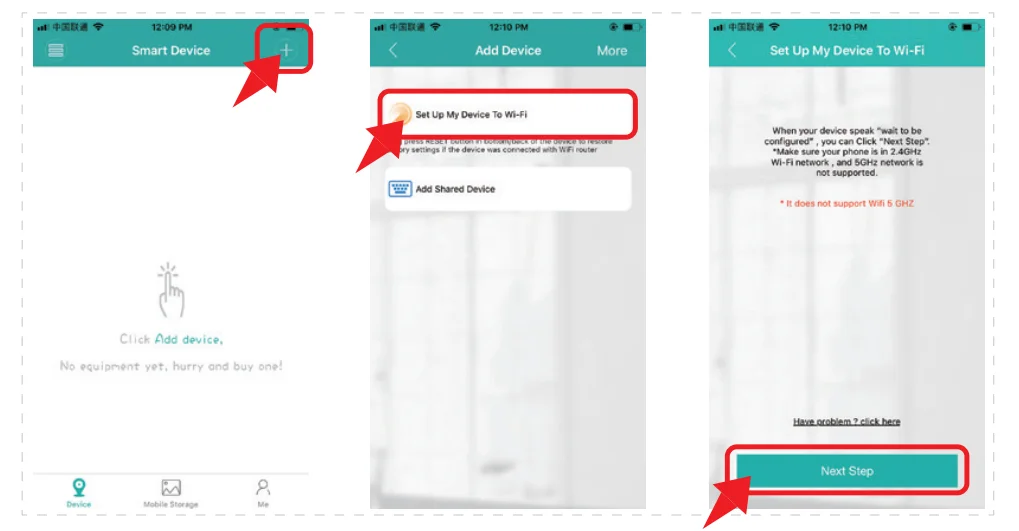
3.Enter your WiFi password. Then click “confifirm” and wait for the camera to connect it.

Notes
* Please reset the device if the camera does not have any voice reminders for more than 180 seconds.
* Please check the WiFi password again and make sure the WiFi channel is 2.4GHz.
* Please do not make the device too far away from the Router.
4.Upon a successful connection, you can set up the name and the password of the camera.

https://icseeapp.com/add-camera/


Comments
Post a Comment