ICSEE TUTORIALS LED LIGHT DESCRIPTION
LED LIGHT DESCRIPTION
It will automatically light up when the following conditions happened.
1.The camera is in night vision mode
The camera image under the night vision mode shows black and white. It will switch automatically when the environment turns dark.
2.The camera activates the motion detection mode.
The LED lamp will light up automatically for 60 seconds when the person is detected.
Click “ Light bulb icon” to turn on the LED light manually.
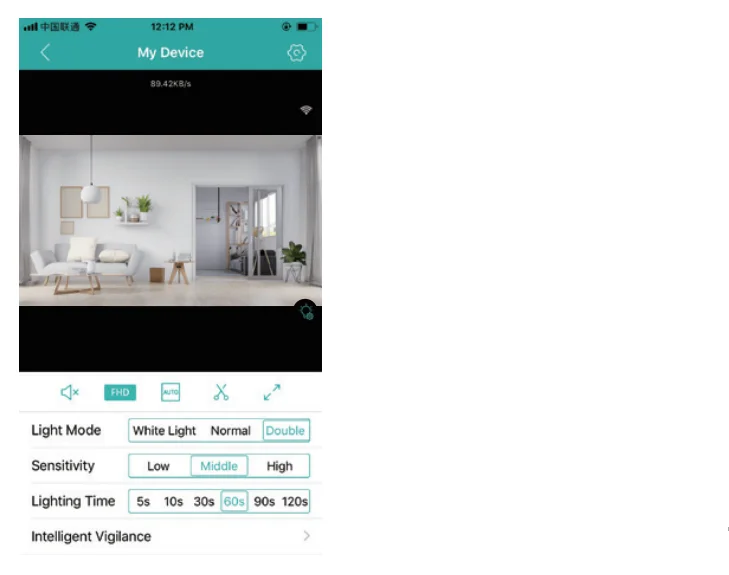
Light Mode
White Ligh— Activate the LED light
Normal—-Activate the night vision light
Double—-Smart Mode, activate the auto-induction
Sensitivity — Adjust the sensitivity of induction
Lighting Time — Adjust the LED lighting time
Intelligent Vigilance — Set up the detection mode
ALARM
There is a voice prompt when the camera detects movement.
You can turn it offff in “Alarm Setting” > “Alarm Action”

https://icseeapp.com/interface-description/


Comments
Post a Comment